> For the complete documentation index, see [llms.txt](https://docs.chiliz.com/llms.txt). Markdown versions of documentation pages are available by appending `.md` to page URLs; this page is available as [Markdown](https://docs.chiliz.com/learn/about-staking/stake-your-chz.md).
# Stake your CHZ
Stake your CHZ on Chiliz Chain and earn rewards!
As a crypto-fan, you can stake your CHZ as part of a validator's stake, thus becoming a "delegator".\
You earn rewards in return for staking your CHZ.
{% hint style="info" %}
The prerequisite is to stake a MINIMUM of 0.01 CHZ.
{% endhint %}
To become a delegator, you need to stake some CHZ to a [validator of your choice](https://app.chilizchain.com/staking).\
How long you stake your CHZ is also your decision to make.
## Prerequisite
In order to stake CHZ, you need a Web3 wallet (such as MetaMask) and CHZ tokens on that wallet.
{% content-ref url="/pages/7jmbvsuzJaARscErNwWb" %}
[How to use MetaMask](/learn/about-wallets/how-to-use-metamask.md)
{% endcontent-ref %}
## Connect to Chiliz Staking dApp
The first step to stake your CHZ is to connect with your preferred Web3 wallet).
1. Visit the [Chiliz Staking dApp](https://app.chilizchain.com/staking).
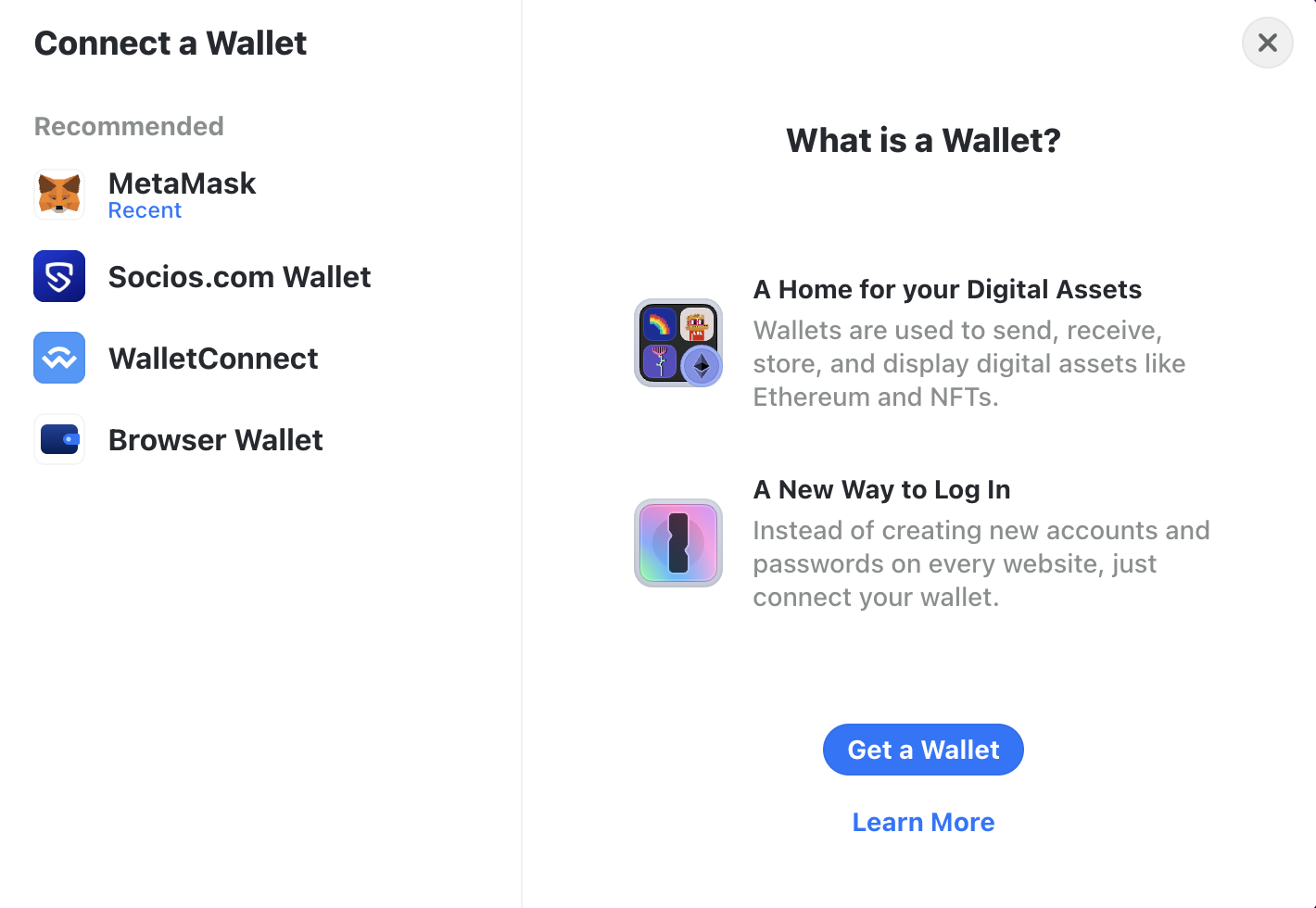
2. Click "Connect Wallet", and select your Web3 wallet of choice (for instance, MetaMask).
3. This will trigger an authentication request from your wallet. Select the account you want to connect with your staking account, and validate.
4. Once your wallet is connected, you will see your Chiliz Staking dashboard.
You are now ready to stake to a validator.
## Staking your CHZ to a validator
1. From the dashboard, scroll down a bit to see the list of validators.\
*Validators are sorted by current APY, which is updated live.*
2. Choose a validator whose pool you want to stake with.\
The information below can help you choose wisely who to stake your CHZ to.
{% hint style="info" %}
**How to choose a validator**
Chiliz will never tell you who to stake your CHZ to. It is up to you to make that decision.
We advise you to:
* Find out more about each validator's reputation.
* Pay attention to the commission rate for each validator (see below).
* Pay attention to the Annual Percentage Yield (APY) of each validator (see below).
* Pay attention to the voting power for each validator (see below).
{% endhint %}
{% hint style="info" %}
**About commission rate**
The validator commission rate is a fee taken from the cut of all delegator rewards. This is a fee that the validator keeps since they provide the service (i.e. running the validator node) so that the delegators don't have to.
For instance, if the pool of delegators earns 20 CHZ and the commission rate is 10%, then 2 CHZ stay with the validator and the rest is distributed among the delegators.
Therefore, the lower the commission rate, the more your will earn from the total reward pool for delegators.
*Suggestions:*
* *Pick a validator with a sustainable commission rate (e.g., 5-10%).*
* *Avoid validators whose rate is at 0% (unsustainable long-term) or above 20% (greedy).*
{% endhint %}
{% hint style="info" %}
**About APY**
The Annual Percentage Yield (APY) is the annual rate of interest paid to stakers based on their stake.
The calculation displayed on the dashboard is an estimation based on the average income of each validator over the past 24 hours, taking into account the validator’s commission rate.
Therefore, choosing a validator with the highest APY number without context can lead to unreliable returns.
*Suggestions:*
* *Pick a validator with an average APY, or slightly higher than average.*
* *Don't rush for validators with an APY that is significantly higher than everyone else, as it is likely to be temporary.*
{% endhint %}
{% hint style="info" %}
**About voting power**
Voting power indicate a validator's influence and stability within Chiliz Chain, contributing to overall security and efficiency of the network.
Note that more voting power does not necessarily mean more staking rewards for delegators.\
High voting power in a validator may suggest stability and therefore consistent rewards; but it doesn't directly mean higher rewards for individual stakers.
*Suggestions:*
* *Pick a validator with mid-range voting power.*
* *Avoid validators with very low voting power (risk of dropping out of the active set).*
{% endhint %}
3. Once your choice is made, click "Stake" for that validator.
4. Fill in the form, choosing the amount of CHZ you want to stake (the minimum is 0.01 CHZ), and click "Submit".
3. Your Web3 wallet will open, asking you to confirm the transaction details. Read everything carefully, then select "Confirm".
4. The Chiliz Staking dApp will then display a notification confirming the staking.
Congrats for supporting the Chiliz Chain network!
## Staking your CHZ on Spicy Testnet
By default, the Chiliz Staking dApp is set to stake on Chiliz Chain Mainnet.
You might want to stake on Spicy Testnet, if you just want to learn/test and not earn any real reward.\
But in most cases, it's no use to stake on a testnet network.
To switch the Chiliz Staking dApp from Mainnet to Testnet, click this icon:
It opens the network switching modal:
Click "Chiliz Chain Spicy" to stake on Spicy Testnet.
The procedure is then the same, except for these network details:
* Epoch: 7,200 blocks, roughly equivalent to 6 hours.
* Wait time until you can claim your reward: 1 full epoch, so at most 12 hours.
## Staking your CHZ from your Ledger
You can stake from your hardware wallet, such as a Ledger one. Here is how:
1. Make sure your [Ledger wallet is all set up in MetaMask](/develop/basics/connect-to-chiliz-chain/use-a-hardware-wallet.md).
2. Connect to the [Chiliz Staking dApp](https://app.chilizchain.com/staking), find the validator you want to stake to, and click on the "Stake" button on their line.
3. Enter the amount of CHZ you want to delegate and hit the "Submit" button.
4. A MetaMask window will pop up. Make sure you read the text in the blue box (it should say "Prior to clicking confirm..."), then click "Confirm". Just make sure your Ledger hardware wallet is unlocked before you do this.
{% hint style="warning" %}
Even though the transfer has been confirmed on MetaMask, you're not quite done yet: you need to also confirm it on your Ledger. Do this by validating the action with the Ledger's physical buttons. Once you've done this, your transaction will be complete.
{% endhint %}
Done! You've successfully staked CHZ from your Ledger wallet.
---
# Agent Instructions
This documentation is published with GitBook. GitBook is the documentation platform designed so that both humans and AI agents can read, navigate, and reason over technical content effectively. Learn more at gitbook.com.
## Querying This Documentation
If you need additional information that is not directly available in this page, you can query the documentation by asking a question.
Perform an HTTP GET request on the following URL with the `ask` and `goal` query parameters:
```
GET https://docs.chiliz.com/learn/about-staking/stake-your-chz.md?ask=&goal=
```
`ask` is the immediate question: it should be specific, self-contained, and written in natural language.
`goal` is what the user is ultimately trying to achieve, the reason they need the answer. Sharing it helps GitBook give you a better, more relevant answer. A goal is most helpful when it describes the outcome the user wants rather than restating the question. For example, with `ask=how do I create an API token`, a goal like `automate deployments from our CI pipeline` lets GitBook tailor the answer to that use case.
The response will contain a direct answer to the question and relevant excerpts and sources from the documentation.
Use this mechanism when the answer is not explicitly present in the current page, you need clarification or additional context, or you want to retrieve related documentation sections.