> For the complete documentation index, see [llms.txt](https://docs.chiliz.com/llms.txt). Markdown versions of documentation pages are available by appending `.md` to page URLs; this page is available as [Markdown](https://docs.chiliz.com/vi/phat-trien/co-ban/su-dung-metamask/lien-ket-chiliz-chain-voi-metamask.md).
# Liên kết Chiliz Chain với MetaMask
## Điều kiện tiên quyết
Chủ đề này giả định rằng bạn đã cài đặt MetaMask trên hệ thống của mình. Nếu chưa, hãy cài đặt MetaMask (cả tiện ích mở rộng web hoặc ứng dụng di động) trước.
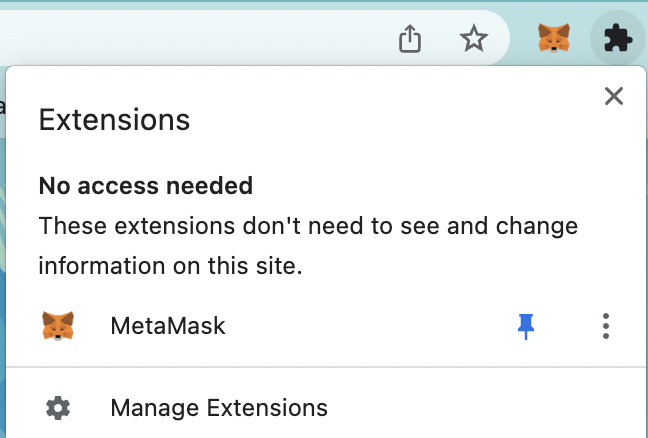
Để thuận tiện, hãy ghim 📍 tiện ích mở rộng MetaMask vào trình duyệt bạn ưa thích:
## Các bước
Để kết nối tài khoản MetaMask của bạn với Chiliz Chain, thực hiện các bước sau:
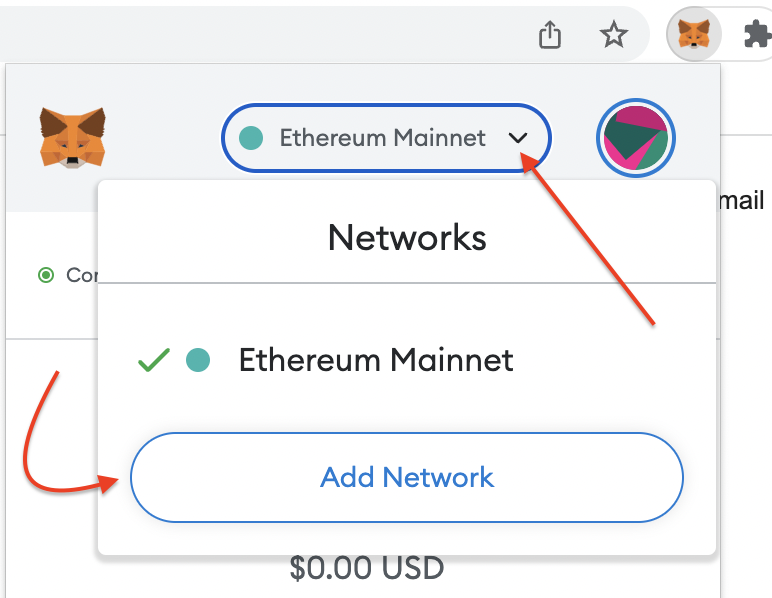
1. Nhấp vào biểu tượng MetaMask để xem tài khoản của bạn.
2. Theo mặc định, bạn sẽ được kết nối với Ethereum Mainnet. Nhấp vào menu thả xuống để mở rộng. Chọn "Add Network". Điều này sẽ mở trang cài đặt MetaMask trong phần "Networks > Add a network".
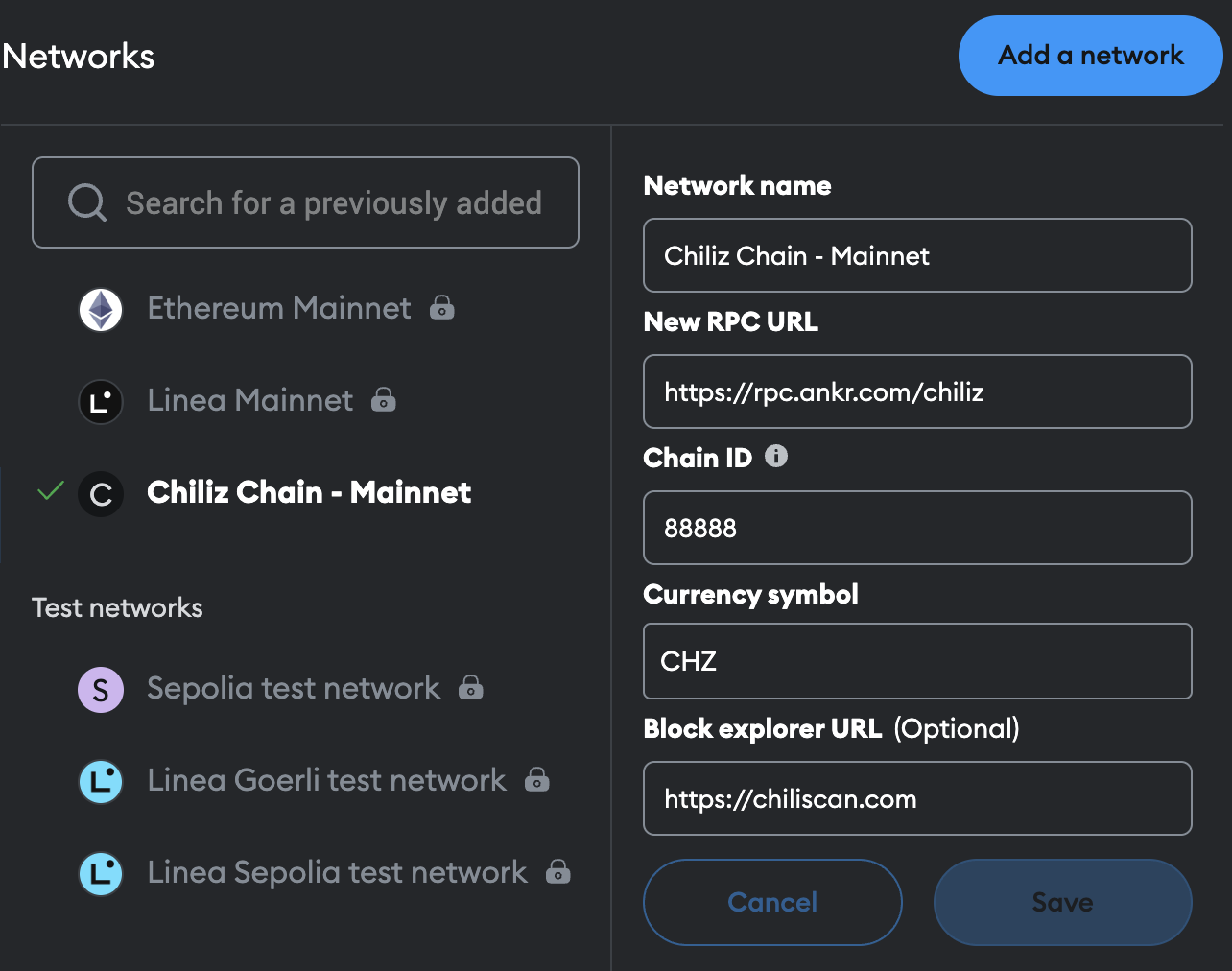
3. Trên trang "Add a network", nhấp vào "Add a network manually" và sử dụng biểu mẫu để nhập các giá trị liên quan vào các trường tương ứng trong tài khoản MetaMask của bạn. Các giá trị cho Chiliz Chain Mainnet và Chiliz Chain Spicy Testnet có sẵn ở đây.
4. Nhấp vào "Save".
{% hint style="info" %}
Nút Save sẽ chỉ được kích hoạt khi biểu mẫu được điền đúng cách theo bảng.
{% endhint %}
5. Dấu kiểm màu xanh lá ✅ cho biết rằng bạn đã liên kết thành công Chiliz Chain với tài khoản MetaMask của mình. Bây giờ bạn có thể bắt đầu khám phá, tùy chỉnh và sử dụng Ví MetaMask của mình.
---
# Agent Instructions
This documentation is published with GitBook. GitBook is the documentation platform designed so that both humans and AI agents can read, navigate, and reason over technical content effectively. Learn more at gitbook.com.
## Querying This Documentation
If you need additional information that is not directly available in this page, you can query the documentation by asking a question.
Perform an HTTP GET request on the following URL with the `ask` and `goal` query parameters:
```
GET https://docs.chiliz.com/vi/phat-trien/co-ban/su-dung-metamask/lien-ket-chiliz-chain-voi-metamask.md?ask=&goal=
```
`ask` is the immediate question: it should be specific, self-contained, and written in natural language.
`goal` is what the user is ultimately trying to achieve, the reason they need the answer. Sharing it helps GitBook give you a better, more relevant answer. A goal is most helpful when it describes the outcome the user wants rather than restating the question. For example, with `ask=how do I create an API token`, a goal like `automate deployments from our CI pipeline` lets GitBook tailor the answer to that use case.
The response will contain a direct answer to the question and relevant excerpts and sources from the documentation.
Use this mechanism when the answer is not explicitly present in the current page, you need clarification or additional context, or you want to retrieve related documentation sections.