> For the complete documentation index, see [llms.txt](https://docs.chiliz.com/llms.txt). Markdown versions of documentation pages are available by appending `.md` to page URLs; this page is available as [Markdown](https://docs.chiliz.com/develop/basics/deploy-a-smart-contract/deploy-with-remix.md).
# Deploy with Remix
Deploy a smart contract to Chiliz Chain using Remix IDE's web-based environment, with steps for compiling, injecting MetaMask, and confirming deployment.
[Remix](https://remix.live/) is a no-setup toolset for developing smart contracts. Used by experts and beginners alike, Remix will get you going in no time.
Remix is available as [a web-based environment](https://remix.ethereum.org/), [a desktop program](https://github.com/remix-project-org/remix-desktop), and even [a CLI tool](https://www.npmjs.com/package/@remix-project/remixd).\
In this page, we will use the web-based version.
{% hint style="info" %}
You can also use the [official Remix IDE documentation for creating and deploying a contract](https://remix-ide.readthedocs.io/en/latest/create_deploy.html).
{% endhint %}
Here is how to deploy a smart contract using Remix Online IDE:
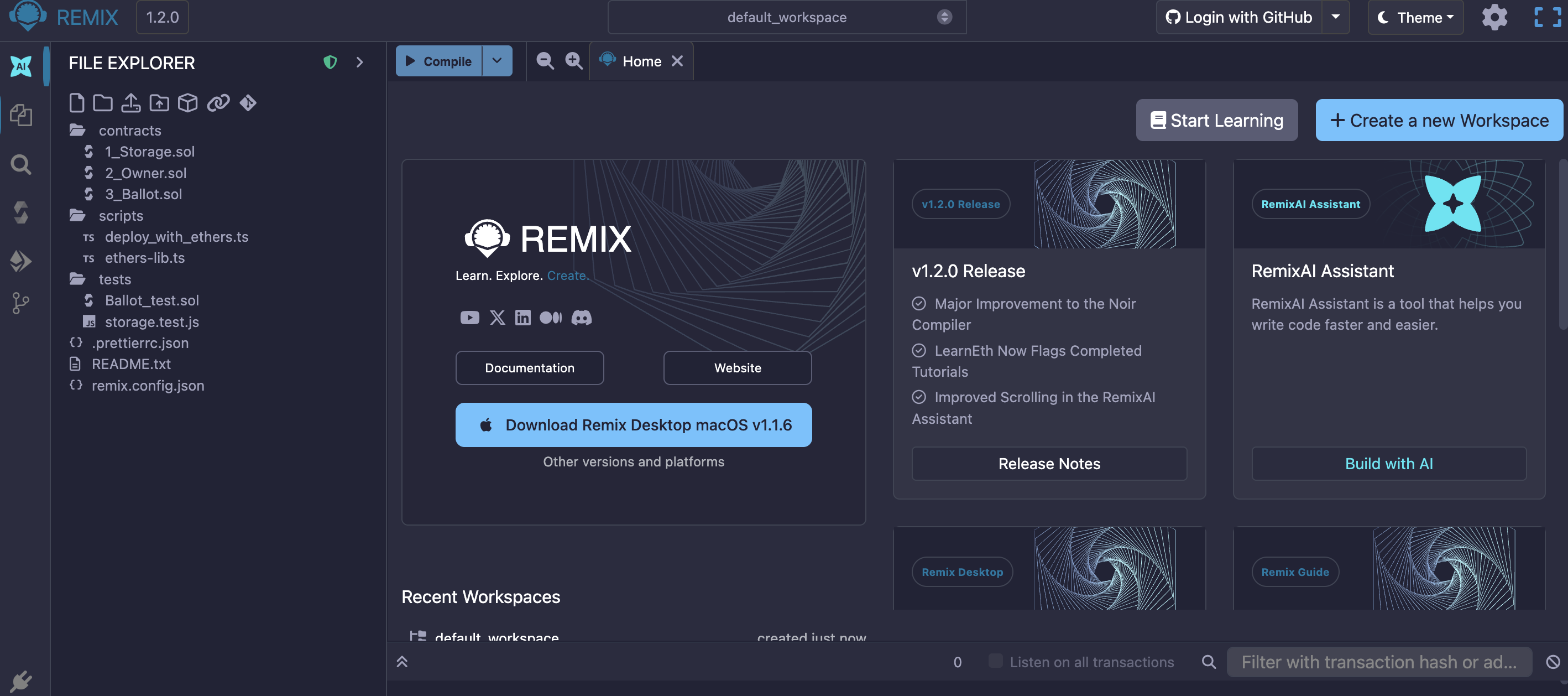
1. Go to [https://remix.ethereum.org](https://remix.ethereum.org). The Remix IDE opens in your browser.
2. Click the "Create a new Workspace" button, then choose an option: blank workspace, AI-generated workspace, contract wizard, project import, or git repository cloning. You also rely on categorized workspace templates.\
For the purpose of this tutorial, we'll use an OpenZeppelin ERC20 workspace template. You can of course deploy your own smart contract using a blank workspace.
{% hint style="info" %}
Chiliz's Fan Tokens are CAP-20 tokens, which are Chiliz Chain-specific extension of the Ethereum ERC20 token standard. [Learn more about CAP-20 here](/learn/glossary/cap-20.md).
{% endhint %}
3. Scroll down to the "OpenZeppelin" template category, and click the "ERC20" template.
{% hint style="success" %}
[OpenZeppelin](https://www.openzeppelin.com/) is an open-source platform for building secure dApps.
In addition to several security and auditing services, they provide [a library of community-vetted smart contracts](https://docs.openzeppelin.com/contracts/), free for the community to use in their projects.
OpenZeppelin contracts are considered industry standards, and you can safely use them.
{% endhint %}
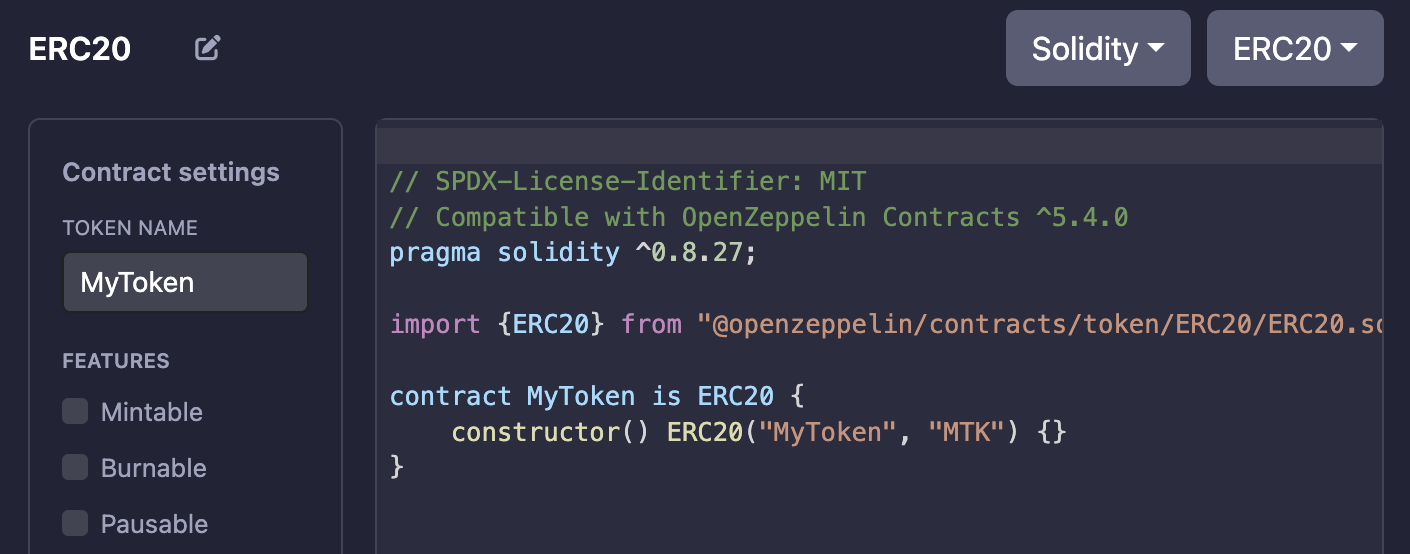
4. Give your ERC20 token a name using the form that Remix displays, then click the "Validate workspace" button.
Once you validate your choice, Remix loads a standard workspace with folders and files that appear in the File Explorer on the left. Click in the `/contracts/{token name}.sol` file to display the ERC20 contract that you are about to deploy:
As you can see, the default `MyToken.sol` smart contract imports the `ERC20.sol` contract from OpenZeppelin.\
*You can open the `.deps/npm/@openzeppelin/contracts/token/ERC20/ERC20.sol` file to display the ERC20 contract itself.*
You are free to edit your `MyToken.sol` contract as you see fit.\
For instance, in order to work with the Chiliz Chain EVM, your contract should rely on Solidity 0.8.30 at most, so make this change:
```solidity
pragma solidity ^0.8.30;
```
... and select the relevant compiler:
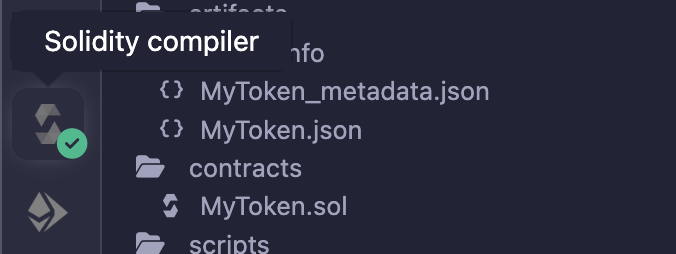
5. Click the "Compile\*\*"\*\* above your contract file.\

If there are no mistakes in your changes, Remix IDE should display a green checkmark in the "Solidity Compiler" menu on the left:
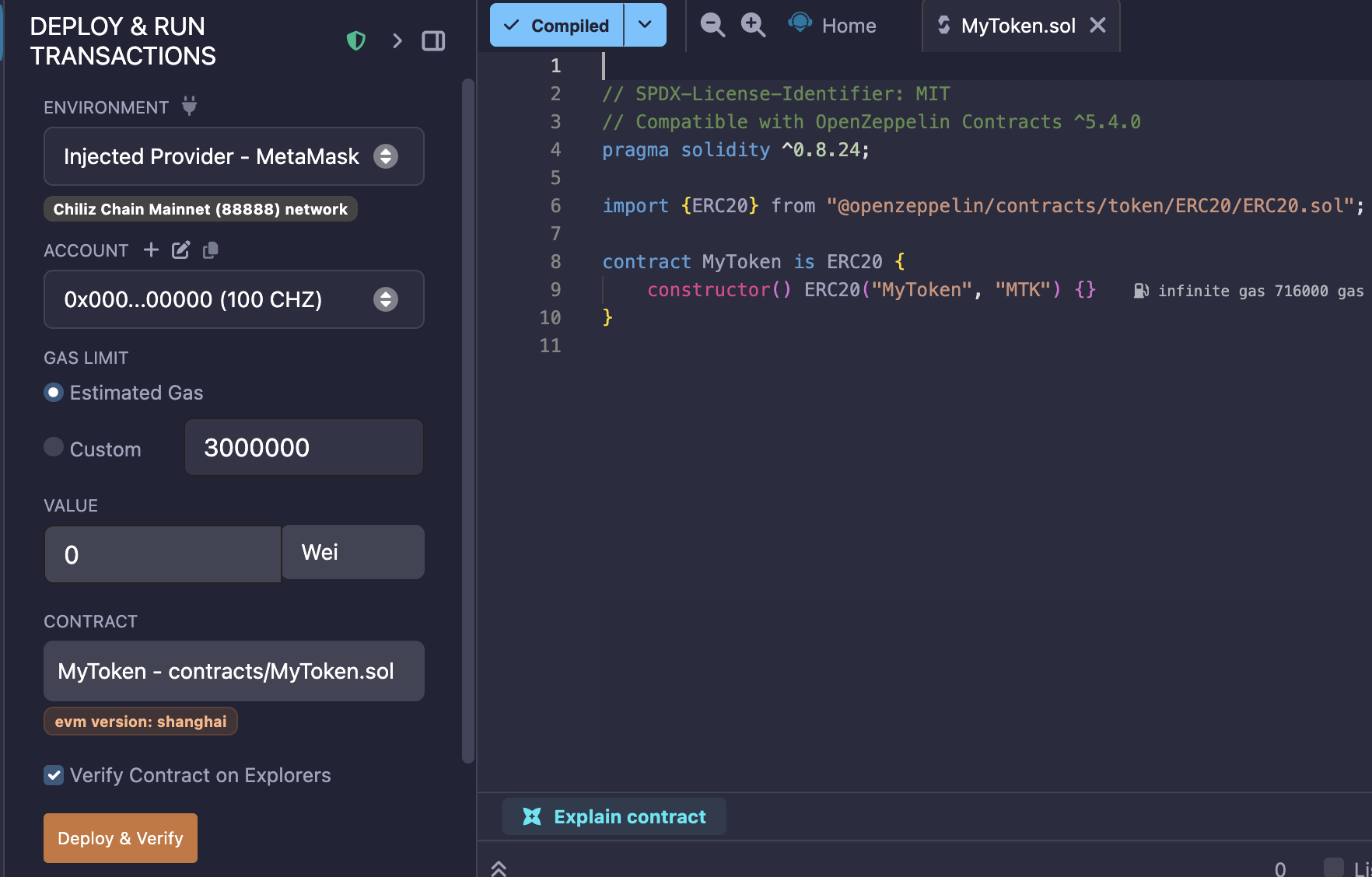
6. Open the "Deploy & run transactions" section.
* Select "Browser Extension > Injected Provider - MetaMask" in the "Environment" dropdown menu. This will link the deployed token to your MetaMask account, which should be configured to work with Chiliz Chain already (if not, [see here](/learn/about-wallets/how-to-use-metamask/link-chiliz-chain-and-metamask.md)).
* Make sure that Remix displays the correct network: Chiliz Chain Mainnet.\

* Make sure that your contract file is selected and that the chosen EVM version is "Prague".\
If not, it means your compiler version was not set to v0.8.30 (see above), go back to Step 4.\

* Click "Deploy & Verify".\
*If you prefer to just deploy the contract then verify the contract by yourself, you can have Remix deploy the contract by unchecking the "Verify Contract on Explorers" box.*
{% hint style="warning" %}
Make sure to have enough CHZ on your wallet to pay for the deployment transactions!
{% endhint %}
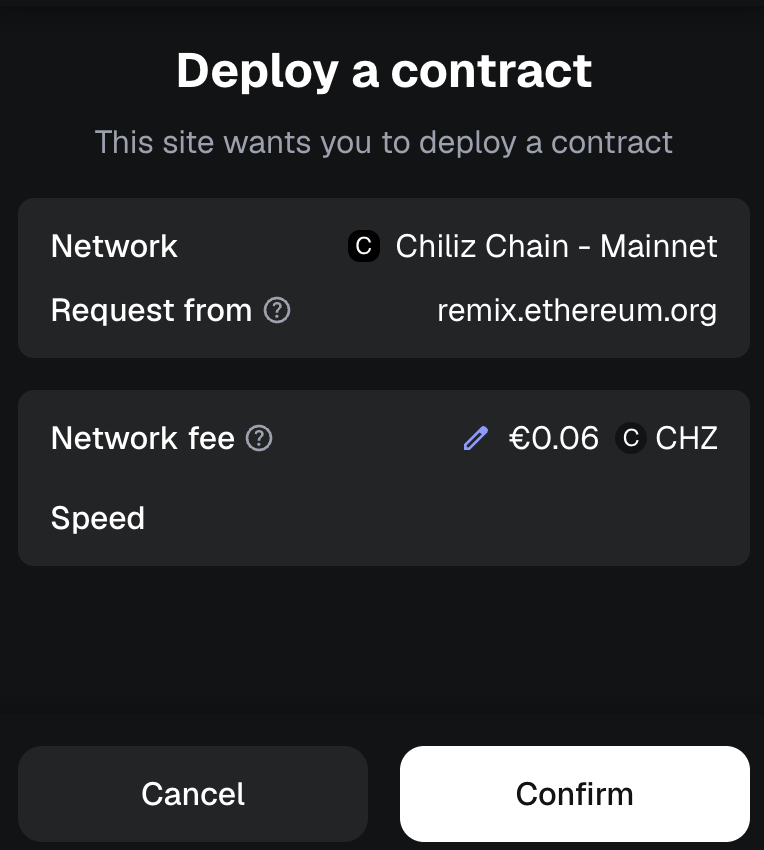
7. Your MetaMask wallet should open automatically.
8\. Click "Confirm" to link your MetaMask Wallet with your token's smart contract.\
You should receive a notification confirming the transaction within a few seconds, along with an invitation to view the transaction on the [Chiliscan](https://chiliscan.com/) block explorer.
From the transaction, you can can access the deployed contract itself (here, the link after "Contract"):
In your MetaMask wallet, under the \_"\_Activity" tab, you will see the contract deployment information. Click it to see all the information about it:
Congratulations! Your contract is now deployed on Chiliz Chain!
Now it is time to verify it:
{% content-ref url="/pages/Lxl4NxqCWg16RmKF2Iln" %}
[Verify a Smart Contract](/develop/basics/verify-a-smart-contract.md)
{% endcontent-ref %}
---
# Agent Instructions
This documentation is published with GitBook. GitBook is the documentation platform designed so that both humans and AI agents can read, navigate, and reason over technical content effectively. Learn more at gitbook.com.
## Querying This Documentation
If you need additional information that is not directly available in this page, you can query the documentation by asking a question.
Perform an HTTP GET request on the following URL with the `ask` and `goal` query parameters:
```
GET https://docs.chiliz.com/develop/basics/deploy-a-smart-contract/deploy-with-remix.md?ask=&goal=
```
`ask` is the immediate question: it should be specific, self-contained, and written in natural language.
`goal` is what the user is ultimately trying to achieve, the reason they need the answer. Sharing it helps GitBook give you a better, more relevant answer. A goal is most helpful when it describes the outcome the user wants rather than restating the question. For example, with `ask=how do I create an API token`, a goal like `automate deployments from our CI pipeline` lets GitBook tailor the answer to that use case.
The response will contain a direct answer to the question and relevant excerpts and sources from the documentation.
Use this mechanism when the answer is not explicitly present in the current page, you need clarification or additional context, or you want to retrieve related documentation sections.